

Spatial Analysis
- yuuritakaku
- Aug 3, 2022
- 1 min read
Updated: Aug 4, 2022
ArcGIS has an integrated application called ArcToolbox that contains a lot of key tools and processes necessary to perform GIS. There are hundreds of tools and you can unlock even more with extensions. Some of the tools that I am familiar with are:
3D Analyst Tools
Analysis Tools
Cartography Tools
Data Management Tools
Editing Tools
Geocoding Tools
Geostatistical Analyst Tools
Spatial Analysis Tools
Spatial Statistics Tools
Below is a map I created using such tools:
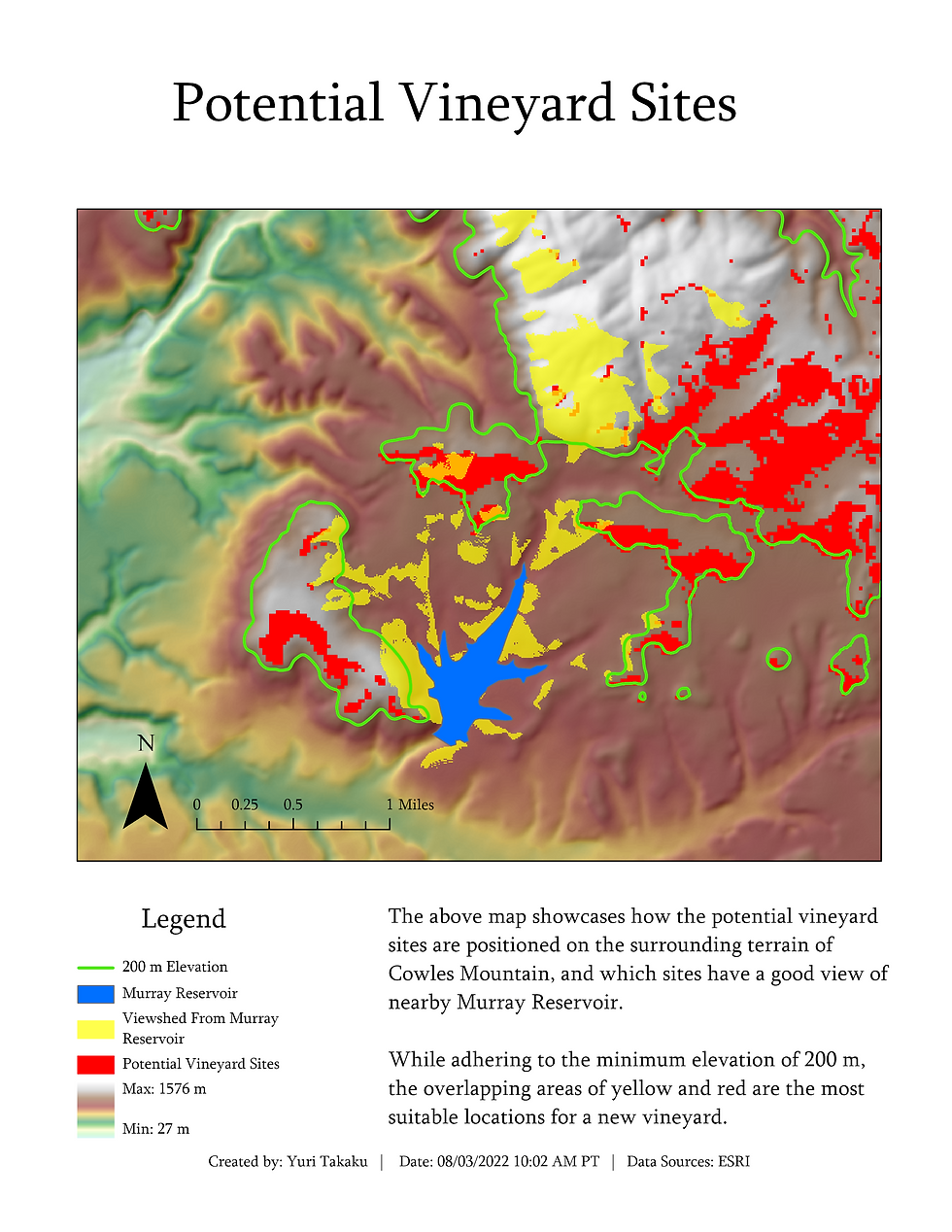
In this scenario, the vineyard owner wants to see how the potential vineyard sites are positioned on the surrounding terrain of Cowles Mountain, and would also like to see which sites have a good view of nearby Murray Reservoir.
The tools used were Hillshade , Contour List, Contour, and Viewshed. All of these tools were from the Spatial Analyst Toolbox. The difference between Contour List and Contour is that contour list can create discrete contours at specified values, whereas contour creates evenly distributed contours across the range. The contours were turned off in the final map because it distracted from the red potential sites and yellow viewshed.
To improve on this analysis, Raster Calculator or a weighted analysis could have been performed. However, by leaving the red and yellow areas visible, the vineyard owner is given more freedom to see how these two relate to each other. Also, in order to perform a weighted analysis, more data is necessary, such as solar radiation and distance to nearby roads.
There are nearly endless possibilities for analysis with the breadth of the tools available in ArcGIS! With training, I will be able to perform the same analyses in other programs besides ArcGIS Pro.


Comments